
When running Arch Linux it is fairly easy to get Airplay audio ability to work, there are a quiete a few steps however.
There might be some intermittent dropout and sometimes the audio is out of sync when using streaming til multiple devices.
Requirement:
base-devel installed for compiling
A newly compiled version of pulseaudio-raop2 installed from AUR
Avahi with nss-mdns installed
Pulseaudio Preferrenecs installed
Suggested if running Gnome: Audio output switcher
Now to the install guide:
Install base-devel for correct compiling
pacman -S base-devel
It is recommenden to have a ~/build directory made
mkdir ~/build
Download and compile pulseaudio-raop2 by hfujita
cd ~/build
wget https://aur.archlinux.org/packages/pu/pulseaudio-raop2/ pulseaudio-raop2.tar.gz
tar -xvf pulseaudio-raop2.tar.gz
cd pulseaudio-raop2
makepkg -si
Install Avahi and nss-mdns:
sudo pacman -S avahi nss-mdns
sudo systemctl start avahi-daemon.service
sudo enable avahi-daemon.service
Installing pulseaudio Preferences
sudo pacman -S paprefs
Start pulseaudio preferences and enable airplay:

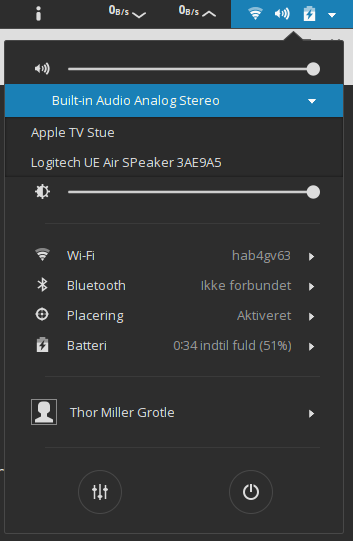
Now switch from Gnome Audio plugin;
Or switch from Setting-> Audio: